

See profit and loss on every project
Section titled “See profit and loss on every project”The Finances card on a project’s Overview now shows income, expense and profit or loss, with the margin. When you create a project, its finance lines are set up for you based on the language pairs, so the numbers are there from the start.
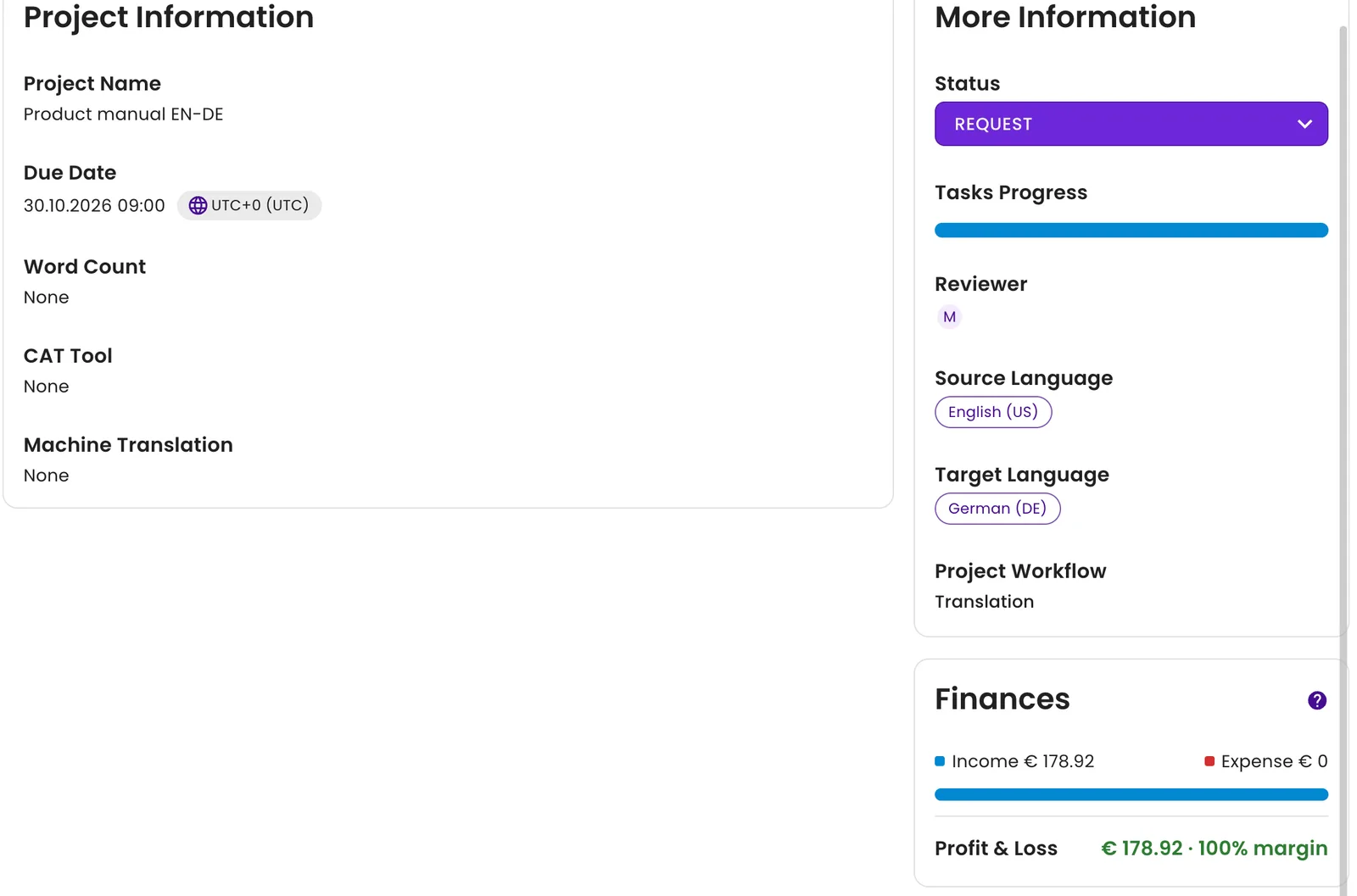
Income, expense and margin on the project Overview.
Pricing for clients and vendors also follows the detailed word-count breakdown and the discount grid.
Find settings from the search bar
Section titled “Find settings from the search bar”Command Center search (Cmd/Ctrl + K) now finds settings and tabs across all modules, not just records. Type “currency” and you can jump straight to Settings, Finance or Localisation.
Enhancements
Section titled “Enhancements”Finance
Section titled “Finance”- Payout and purchase order pages show the vendor in their links.
- Vendor invoices, payouts and purchase orders download in the new PDF design.
- Exchange rates are handled more reliably in finance documents.
Activity and settings
Section titled “Activity and settings”- The Activity sections on projects and tasks now use the same change log view as vendors.
- You now get a success message after you update localization settings.
Finance and projects
Section titled “Finance and projects”- Creating an invoice from an estimate no longer turns a fixed discount into a percentage.
- Downloading an invoice no longer fails with a 502 error.
- Your chosen display language format now applies in the Projects section.
- The Finances section on a project overview displays correctly.