

Automate
Where: Apps › Automate
Automations do repetitive setup for you. They are the difference between creating twelve tasks by hand for a twelve-language project and having them appear the moment the project is saved.
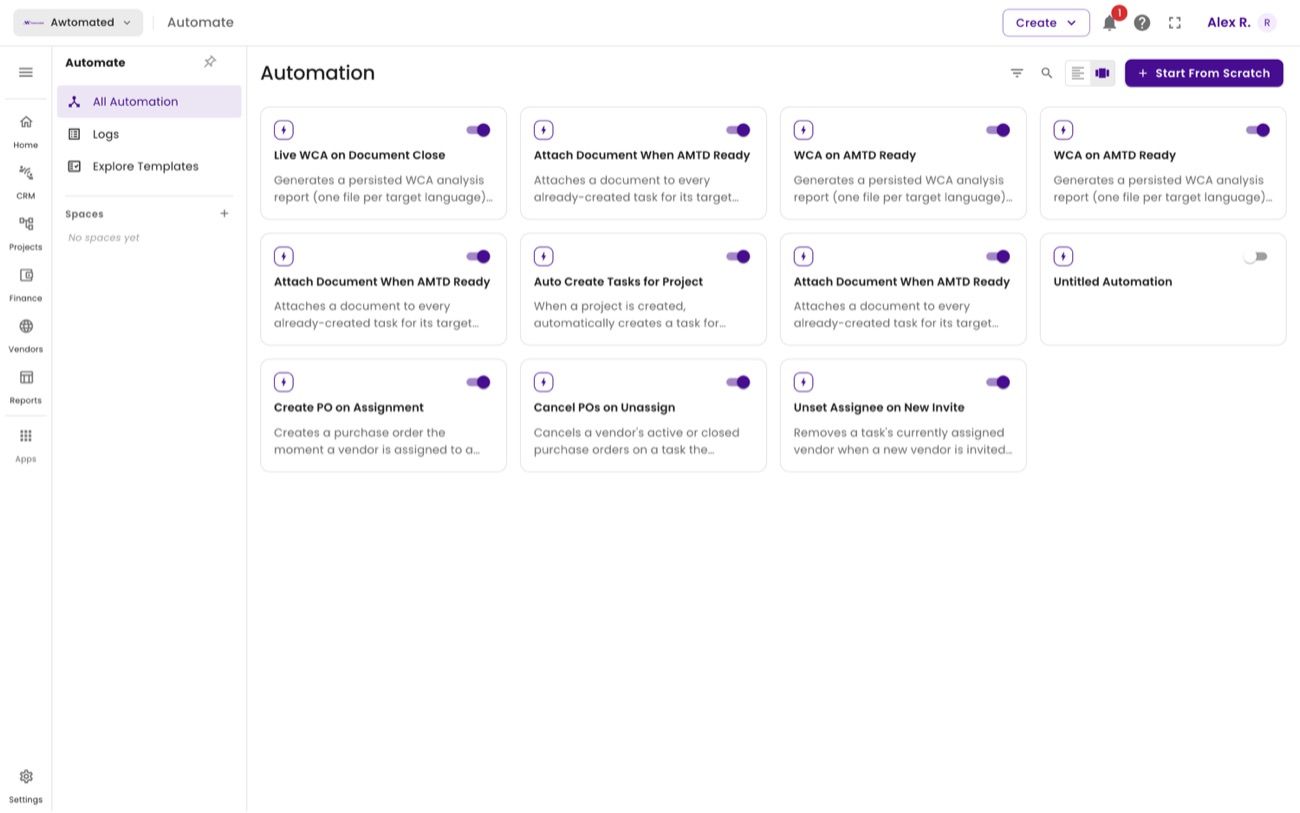
Automate. Start from a template, or build your own with Start From Scratch.
| Template | What it does |
|---|---|
| Auto Create Tasks for Project | When a project is created, generates a task for every target language at every stage of its service in one pass. It looks the project’s languages up live, so it works whether it runs automatically or you trigger it by hand. |
| Attach Document When AMTD Ready | Attaches a document to every existing task for its target languages as soon as that document finishes processing - covering the case where a task was created before its file was ready. |
Use Logs in the section panel to confirm an automation ran and see what it touched, and Explore Templates to browse the full set.
Automation templates and logs
Section titled “Automation templates and logs”Where: Apps › Automate › Explore Templates and Logs
Explore Templates is the library of ready-made automations, filterable by what they act on - document, project or task.
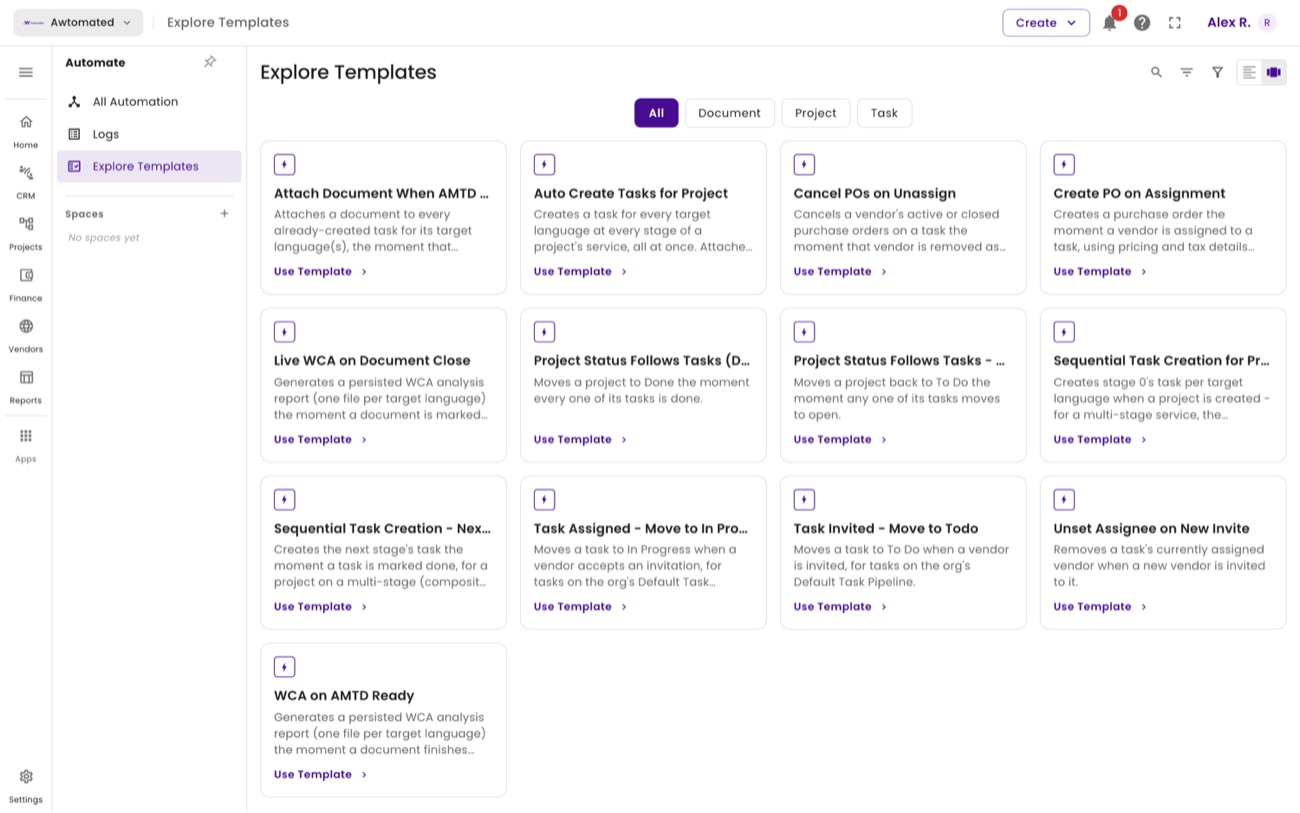
Templates. Select Use Template to add one to your workspace and adjust it.
| Template | What it does |
|---|---|
| Auto Create Tasks for Project | Creates a task for every target language at every stage of the project’s service, in one pass. Attaches an already-ready document to a language’s tasks where one exists; otherwise the tasks are still created without it. |
| Attach Document When AMTD Ready | Attaches a document to every existing task for its target languages as soon as processing finishes - for when a task was created before its file was ready. |
| Project Status Follows Tasks | Moves a project to Done the moment every one of its tasks is done, so project status reflects reality without anyone updating it. |
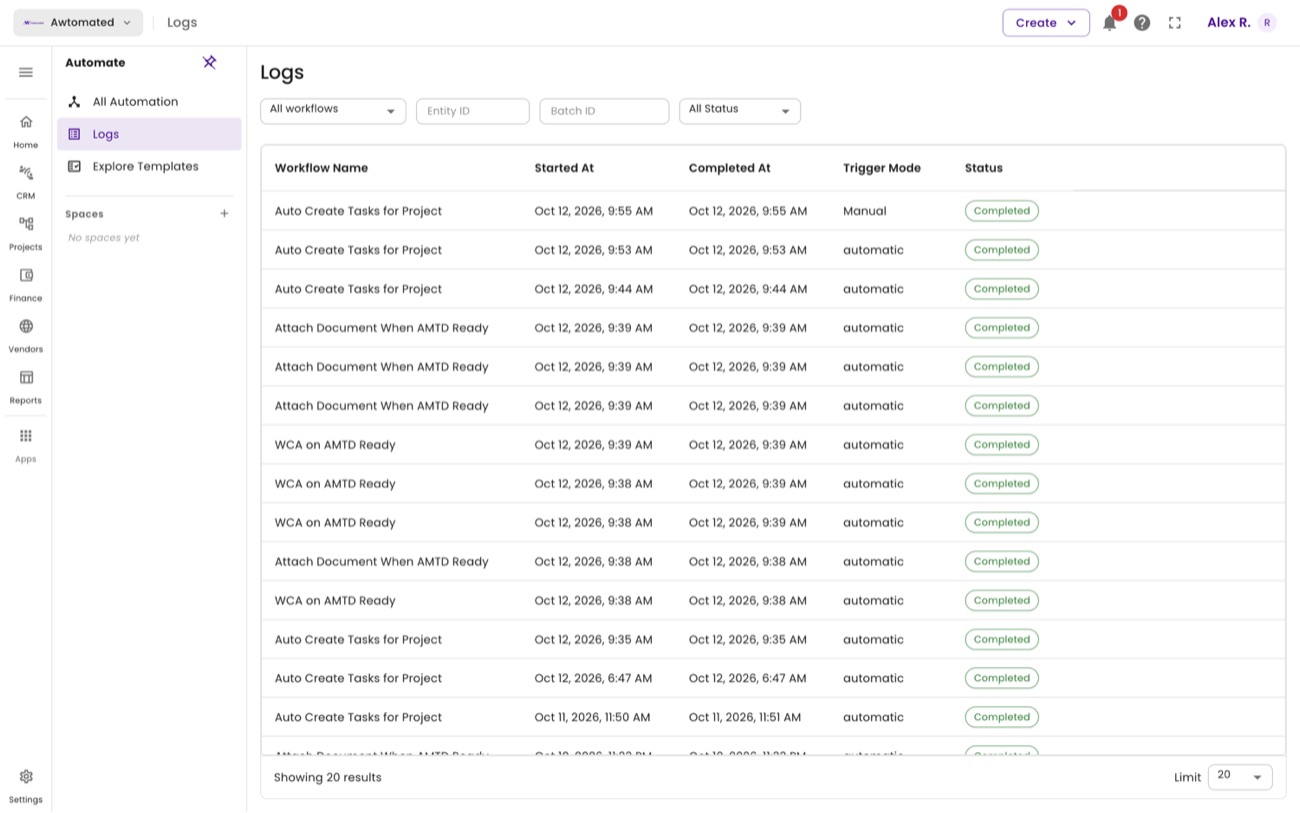
Logs. Every run with its Trigger Mode - Automatic or manual - and whether it completed.
Related: Templates & logs · Tasks · Creating a project