

What your client sees
The client portal is a separate, restricted view of the same workspace. Your client signs in at the same address you do - app.awtomated.com - and Awtomated shows them only their own records. They never see your other clients, your vendors, your margins or your internal costs.
- Projects: Their jobs, with status, languages, workflow and estimated price. They can raise new requests here.
- Estimates: Quotes you have sent, with totals and validity.
- Invoices: What they owe, what it was for, and when it is due.
Projects and requests
Section titled “Projects and requests”Where: Client portal › Projects
The first screen your client lands on. It lists their jobs and, importantly, lets them start new ones with Create - a request arrives in your Projects list at status Request rather than as an email you have to transcribe.
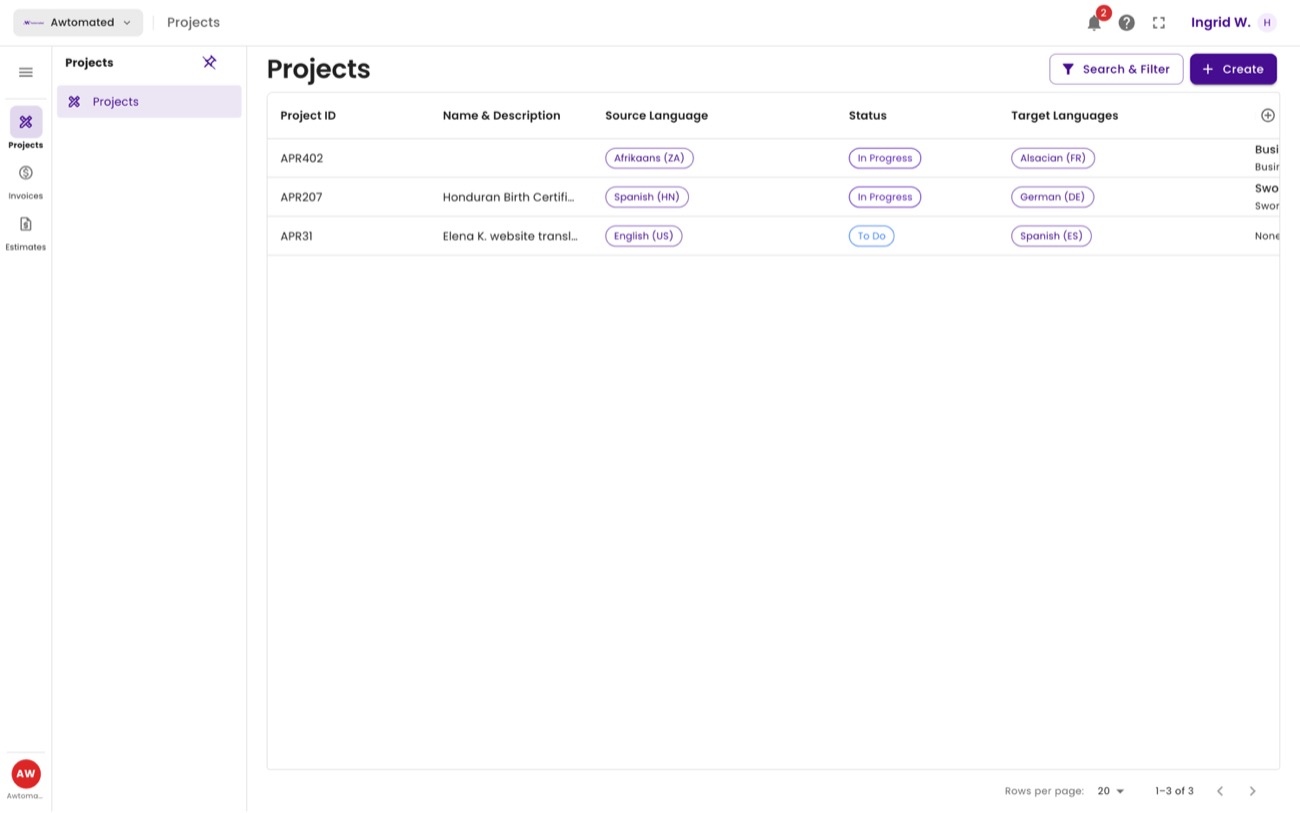
The client’s project list. Estimated Price is visible to them, so keep quotes current.
| Column | What your client sees |
|---|---|
| Project ID | The same APR reference you see, so you are both quoting the same number. |
| Name & Description | The title and brief they supplied when requesting the work. |
| Source / Target Languages | Full locale names, for example English (United States) → German (Germany). |
| Status | Request until you accept the job. |
| Project Workflow | The stages their job will pass through, such as Translation → Revision. |
| Estimated Price | The quoted figure. A job with no estimate yet shows as 0. |
Estimates
Section titled “Estimates”Where: Client portal › Estimates
Every quote you have raised for this client, with its total and status. An estimate stays Open until it is accepted or expires.
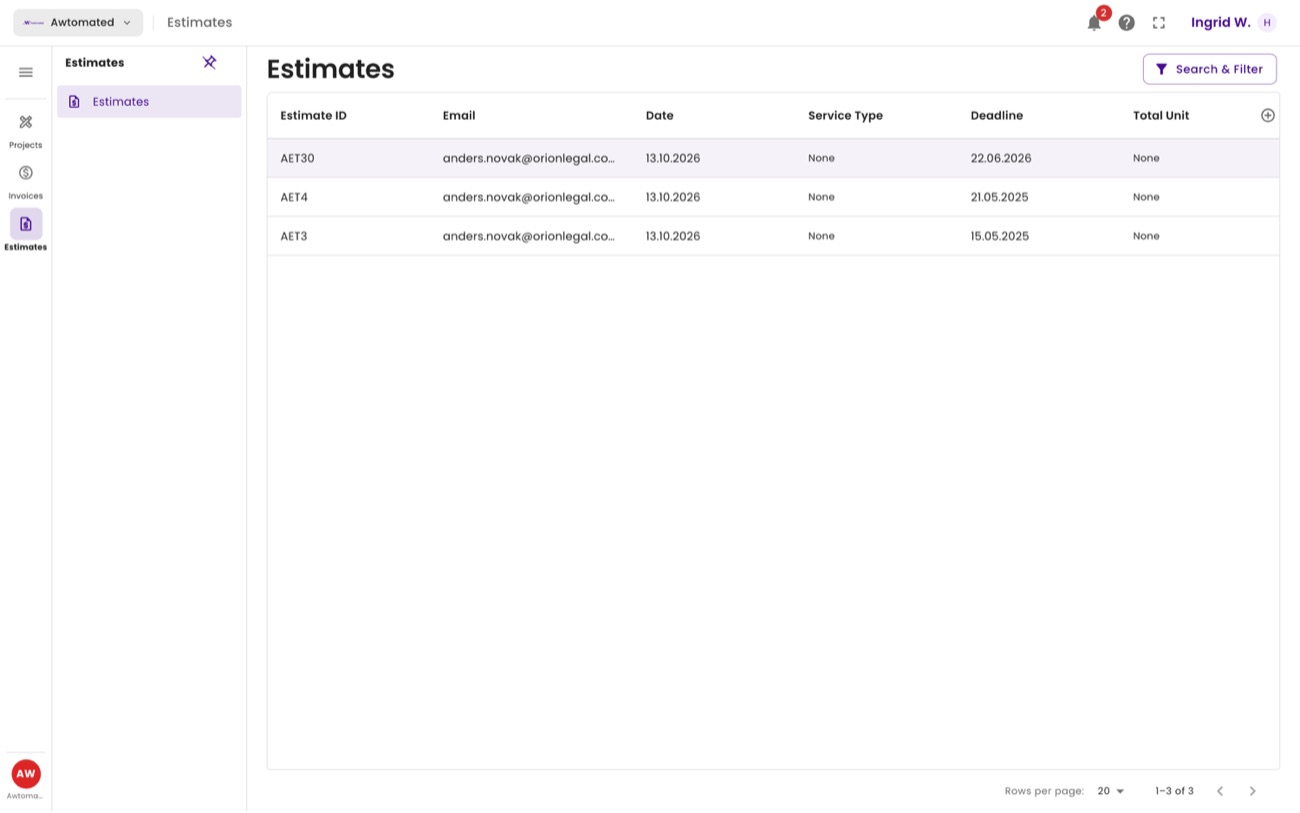
Client estimates. The same AET IDs you see in Finance › Estimates.
Invoices
Section titled “Invoices”Where: Client portal › Invoices
What the client owes. Each row carries the invoice ID, the period it covers, the service type, the total and whether it is paid.
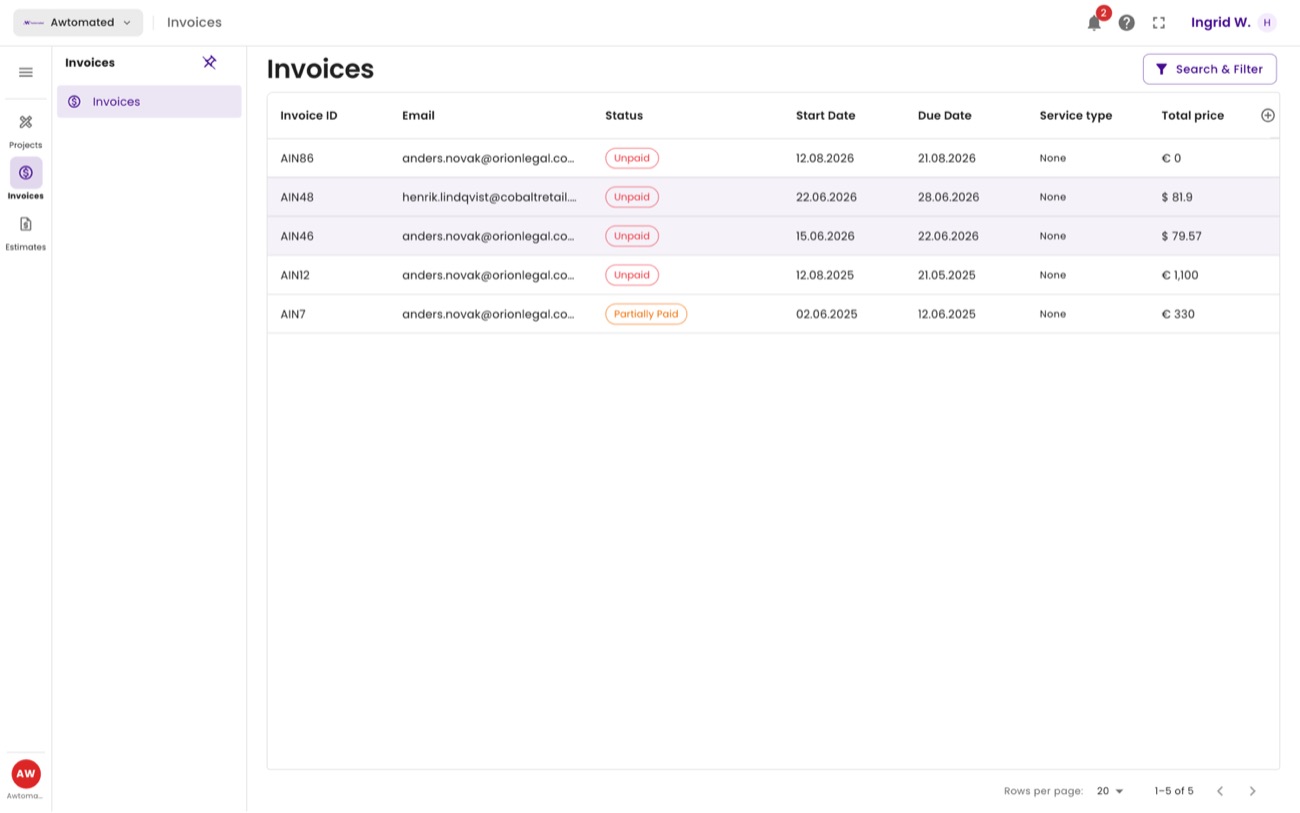
Client invoices. Status flips to paid once you match a transaction against the invoice on your side.
Related: The project record · Invoices · Who sees what